Hello there!
Need Help? We are right here!

Need Help? We are right here!
Search Results:
×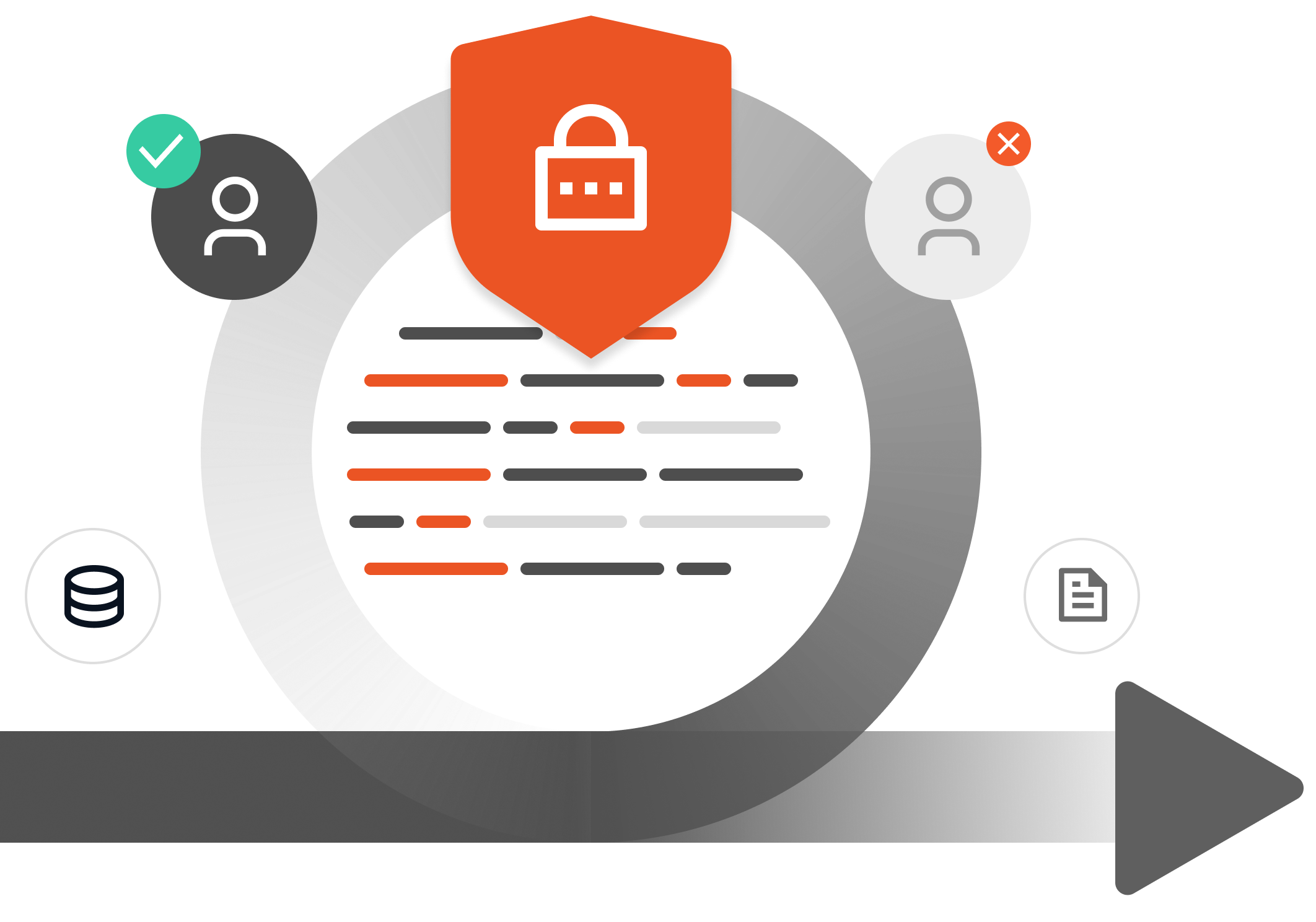
User Lifecycle Management (ULM), also called identity lifecycle management, is the process of managing a user's digital identity and access throughout their entire journey within an organization. By automating these joiner, mover, and leaver (JML) processes, ULM helps organizations maintain accurate user identities, enforce appropriate access, and improve security and operational efficiency.
It connects HR events to your identity directory and applications, so access changes automatically based on policy instead of a support ticket. Without automation, onboarding is slow, permissions pile up after role changes, and old accounts stay active long after people leave.
Understand how automated user provisioning works →One workflow covers the full employee lifecycle, so access is created, changed, and removed the moment an HR event happens. You can also add approval steps for managers or application owners at any stage by setting up custom workflows.

You can create accounts across systems, provision applications automatically, assign role-based access, and get new hires productive from day one by automating user onboarding and user access management across your organization.

As responsibilities change, update roles, groups, and permissions, remove unnecessary access, and prevent privilege creep, keeping access aligned with each employee’s current needs.

When employees leave, disable their accounts immediately, revoke access across all applications, reclaim unused licenses, and maintain a complete audit trail for secure and compliant offboarding.
Keep access aligned with employee status across applications and directories, without relying on manual updates.
Lifecycle stage
Manual user provisioning
Automated ULM
New hires wait days to get productive
Automated provisioning enables instant day-one access.
Old permissions are left behind after a move
Access updates automatically and old permissions are removed
Former employees keep active accounts
Access is revoked across all apps in real time
Audit prep is slow and error-prone
Built-in reporting keeps you audit-ready
Unused seats stay billable after people leave
Licenses are reclaimed automatically at exit
Employees email IT for extra app access and wait on approval
Employees request access directly for certain apps, routed to the right approver automatically
Create accounts and assign access automatically from HR or directory data. Provision to cloud and on-premises applications over SCIM, REST API, LDAP, and direct database connectors, including apps with no native provisioning support.
JML solution automates onboarding, role changes, and offboarding from one workflow, automatically generating corporate email IDs, assigning role-based access, and routing access requests through approval workflows, without manual steps.
Update roles, group memberships, and permissions automatically when responsibilities change. Keep access limited to what the current role needs with role-based access control.
Revoke application, directory, and system access at exit with a single click or on a scheduled trigger. Close the offboarding gap, clear out old accounts, and get licenses back.
Route access requests through multi-level approvals for managers and application owners. Run periodic access reviews and keep a permanent log of every provisioning, update, and deprovisioning event.

miniOrange sits between your HR system and your applications and turns every HR event into an access change.
A new hire, promotion, transfer, or exit recorded in Workday, BambooHR, or SAP SuccessFactors becomes the trigger, with approval routed to admins or managers before the workflow proceeds where required.
Attributes like department, job title, location, and manager map to roles, groups, and permissions, with approval from admins or managers before changes take effect where required.
miniOrange writes to Active Directory, Microsoft Entra ID, or LDAP, or acts as your identity provider.
Provisioning runs over SCIM, APIs, and pre-built connectors across cloud and on-premises apps.
Provisioning, update, and deprovisioning events are recorded and ready for your next audit.
miniOrange connects to HR systems, directories, and cloud apps, so you can automate provisioning on the stack you already run.











Automatically onboard, update, and offboard users across apps with role-based access that stays aligned as teams change.
Automate joiner, mover, and leaver workflows to create, update, and revoke access without disconnected manual processes.
Use your HR system as the source of truth to automatically provision and update access based on employee changes.
Manage provisioning, SSO solution, MFA, and RBAC on one platform to simplify IAM and reduce the need for multiple vendors.
Trusted by 30,000+ customers across financial services, government, healthcare, and education for scalable IAM.
The JML process covers the three events that change a person's access: joining the organization, moving to a new role, and leaving. Each one should trigger an automatic access change. Provisioning when they join, permission updates when they move, and full revocation when they leave.
It watches for changes in your HR system and applies your access policy automatically. When a record is created or updated, the platform maps attributes like department and job title to roles, then creates or updates accounts in your directory and connected applications over SCIM, APIs, and connectors.
User lifecycle management covers people: employees, contractors, and partners. Identity lifecycle management covers every identity in the environment, including service accounts, bots, APIs, and devices. Both sit under identity governance and administration.
When an exit is recorded in the HR system, the platform disables the directory account, revokes SSO and application access, ends active sessions, and reclaims licenses. It can run instantly or on a scheduled last-working-day trigger, and every step is logged.
HR systems like Workday, BambooHR, and SAP SuccessFactors. Directories like Active Directory, Entra ID, and LDAP. Cloud apps like Office 365, Google Workspace, Salesforce, AWS, and Slack. miniOrange has 6,000+ pre-built integrations, plus SCIM and API provisioning for custom apps.
Within IAM, user lifecycle management is the part that keeps accounts and permissions accurate over time. Authentication decides how people log in. Lifecycle management decides which accounts and access exist at all, and when they go away.
Yes. Smaller IT teams usually start with automated onboarding and offboarding for their main SaaS apps, then add approval workflows and access reviews later. Pricing scales with users, so the same platform works for a 50-person company and a 10,000-person one.
Most teams automate their first lifecycle workflow within days. The timeline depends on how many applications you connect, how complex your role mapping is, and whether provisioning is driven by HR or by your directory.